Your After Effects,
supercharged.
AI-powered subtitles, automatic beat sync, noise removal, advanced graph editing, and 6 pro tools — all inside one After Effects panel.
nothing you don't.
Built by motion designers for motion designers. Every tool is crafted to cut your production time in half.
Beat Detection
Automatically detect audio beats and drop markers on your timeline. Adjustable sensitivity, BPM display, and waveform visualization.
AI Auto Subtitles
Transcribe audio with OpenAI Whisper and create timed text layers instantly. Sentence or word-by-word karaoke mode, 6 languages supported.
Graph Editor
Visual bezier curve editor with 29 easing presets. Drag control handles, save custom curves, and apply them to keyframes in one click.
Noise Removal
Remove background noise and isolate vocals with AI. Adjustable strength for stationary and non-stationary noise. Auto-import cleaned audio.
Comp Splitter
Split every layer in your timeline into individual compositions with one click. Auto-organize in folders, preserving size, fps, and duration.
Effect Guide
Built-in catalog of 27+ After Effects effects with parameters, descriptions, and tips. Search, filter by category, and discover new techniques.
Sync your edits
to the rhythm
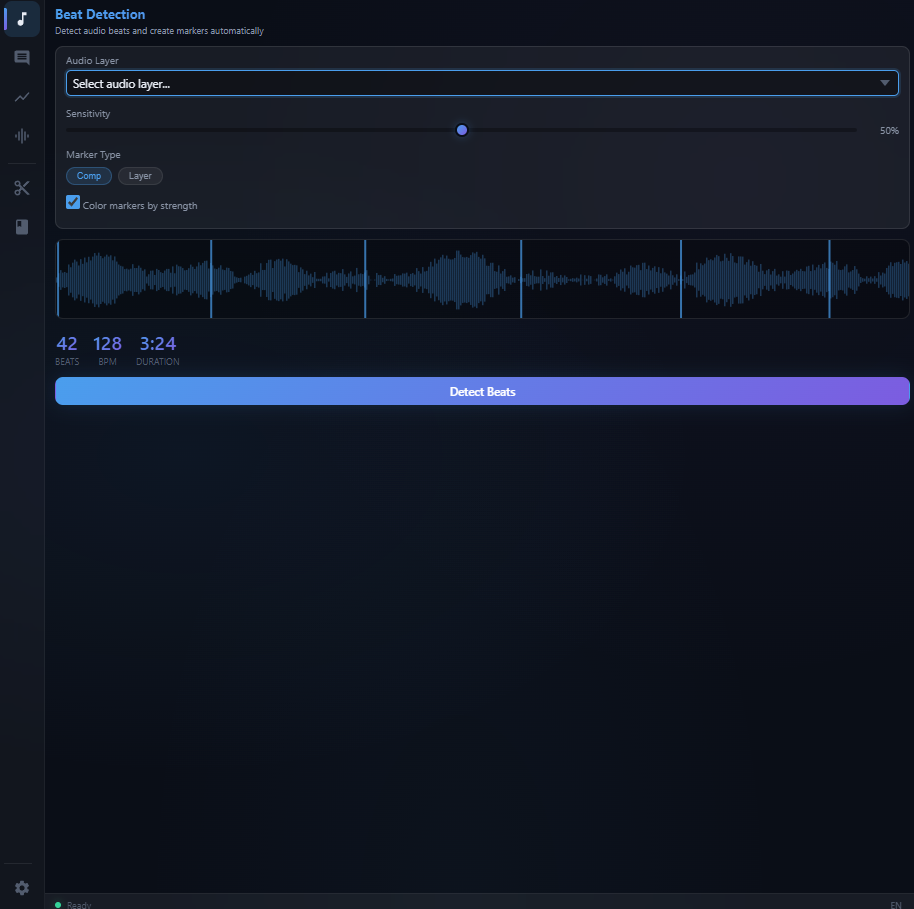
Drop your audio into the panel and watch as MotionMate analyzes the waveform in real-time. Beats are detected automatically with adjustable sensitivity, then placed as composition or layer markers — ready for you to snap cuts and transitions to the music.
- Real-time waveform visualization
- Adjustable sensitivity & threshold
- BPM detection & marker placement
From audio to text
in seconds
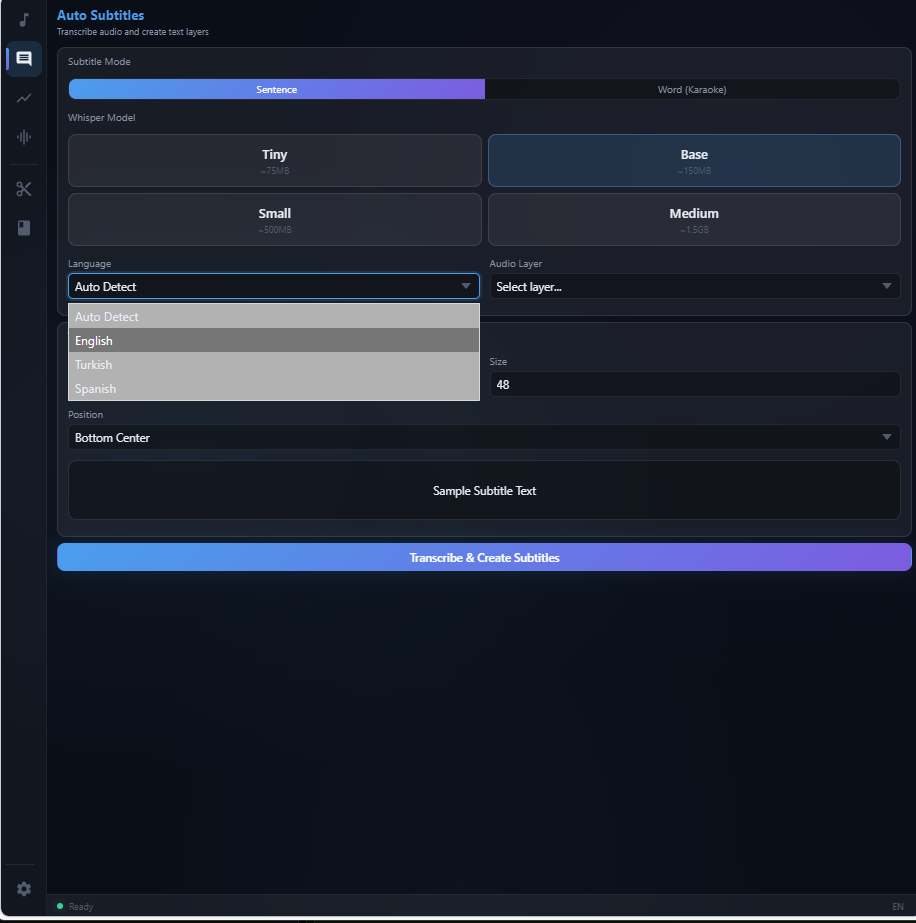
Powered by OpenAI Whisper, MotionMate transcribes your footage audio and generates perfectly timed text layers directly on your After Effects timeline. Choose between sentence-based or word-by-word karaoke mode for maximum creative control.
- OpenAI Whisper transcription engine
- Word-by-word karaoke mode
- 6 languages: EN, TR, ES, DE, FR, JA
Curves that bring
motion to life
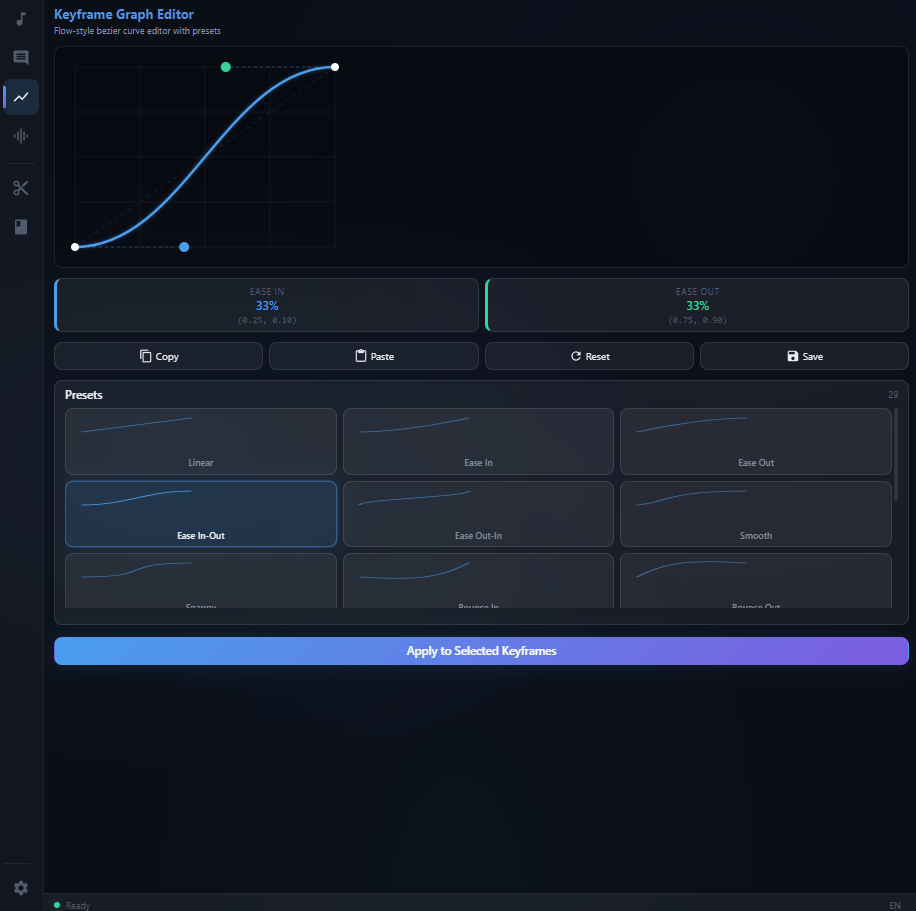
Fine-tune your keyframe interpolation with a visual bezier curve editor. Choose from 29 built-in easing presets or create your own custom curves. Drag control handles with precision and apply easing to any selected keyframes instantly.
- 29 built-in easing presets
- Draggable bezier control handles
- Save & reuse custom curves
Three simple steps to supercharge your After Effects workflow.
Create Account
Sign up for free and choose a plan that fits your workflow.
Install Extension
Download and install the MotionMate panel directly into After Effects.
Create & Ship
Open the panel, log in, and start creating stunning motion — instantly.
Try everything free for 3 days. No credit card, no restrictions. Then pick the plan that fits.
- All 6 pro tools included
- AI Auto Subtitles (Whisper)
- AI Noise Removal
- Graph Editor — 29 presets
- Comp Splitter + Beat Detection
- Effect Guide — 27+ effects
- 6 language interface
- Priority support
- All 6 pro tools included
- AI Auto Subtitles (Whisper)
- AI Noise Removal
- Graph Editor — 29 presets
- Comp Splitter + Beat Detection
- Effect Guide — 27+ effects
- 6 language interface
- Priority support
Which versions of After Effects are supported?
MotionMate supports Adobe After Effects CC 2020 and later (v17.0+). It uses the CEP (Common Extensibility Platform) architecture which is compatible with all modern AE versions.
Do I need an internet connection?
You need internet for license activation and AI features (subtitles, noise removal). Beat detection, graph editor, comp splitter, and effect guide work entirely offline.
How does the AI subtitle feature work?
MotionMate runs a local Python server with OpenAI Whisper. Your audio is processed locally on your machine — nothing is sent to external servers. The transcription engine supports English, Turkish, Spanish, German, French, and Japanese.
Can I cancel my subscription at any time?
Yes. Both monthly and yearly plans can be canceled at any time from your dashboard. You keep access until the end of your current billing period.
Is there a free trial?
Yes! Every new account gets a 3-day free trial with full access to all 6 tools — no credit card required, no restrictions. Experience everything MotionMate has to offer before you commit.
What payment methods do you accept?
We accept all major credit and debit cards (Visa, Mastercard, American Express) as well as PayPal. Payments are processed securely through LemonSqueezy.
Do you offer refunds?
Yes. If you're not satisfied within the first 14 days of your subscription, contact us for a full refund. No questions asked.